
Insights page
Gleanin’s insights pages are designed to help you identify the drivers of success which are ways to improve your performance by driving more shares, clicks and ultimately more attendees.
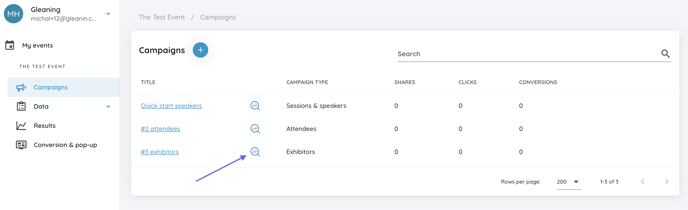
You can access your insights page directly from the campaign section by clicking on the magnifying graph icon next to the campaign name
or the main campaign page by clicking on the Campaign insights button.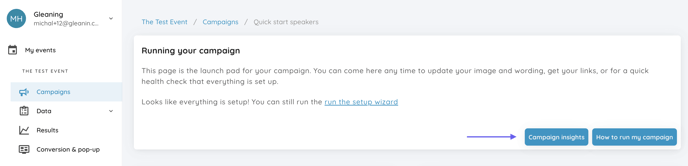
Categories
The three main categories are Engagement, Activity and Impact, here’s a bit more information on each.
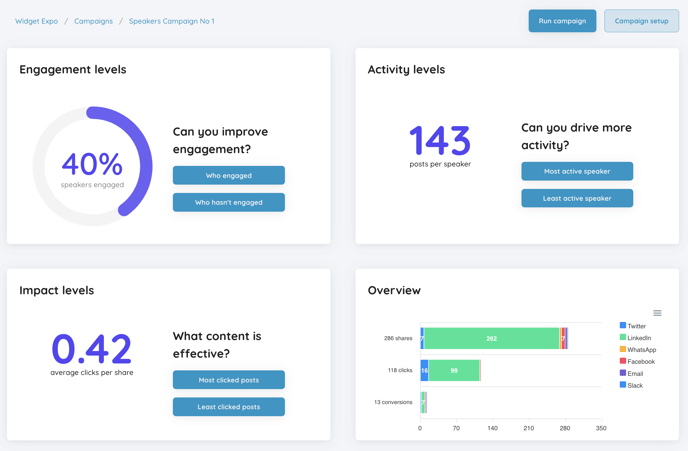
Engagement:
For your speakers and your exhibitors, we can tell you the percentage of how many of them have used Gleanin. From here you can then pull a list of those speakers or exhibitors who haven’t engaged so that you can reach out to them again and encourage their participation.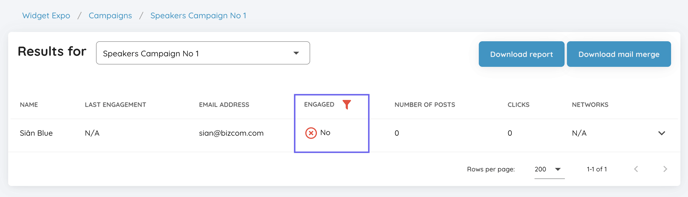
You can also pull a list of those who have engaged if you’d like to encourage them to post again.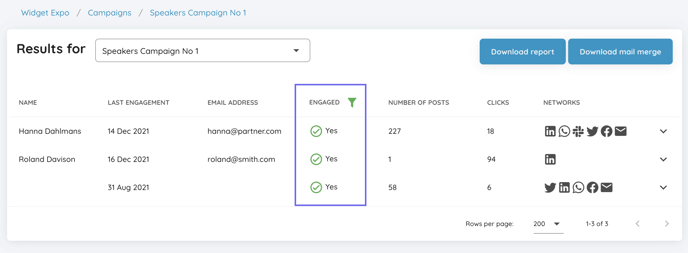
For both categories, you can download either a full report for your analysis or a mail merge file in order to reach out to them.
Activity:
Here you can see how active speakers or exhibitors have been. How many times they have shared and on which channels.
You can order this view so that you can reach out again to people who are very active and encourage more participation. You can see the number of posts that they have shared as well as their last engagement date and the social media network used. 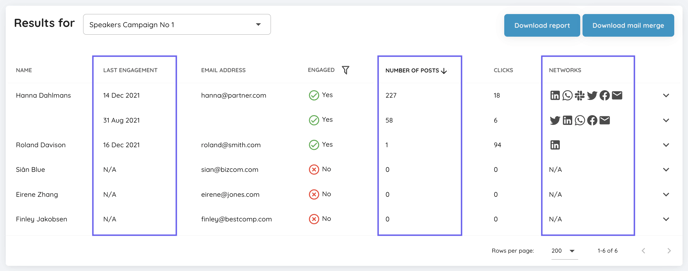
By clicking on the drop-down arrow next to the social icons, you will see the exact image they have used to share with their audiences.
As with the Engagement, you can also download either a report or a mail merge file.
Impact:
For impact we look at the number of clicks posts are getting. This allows you to identify whom your most impactful advocates are by highlighting those getting the most clicks. It also lets you see which of your templates are getting the most clicks to establish which creative works best for your campaigns.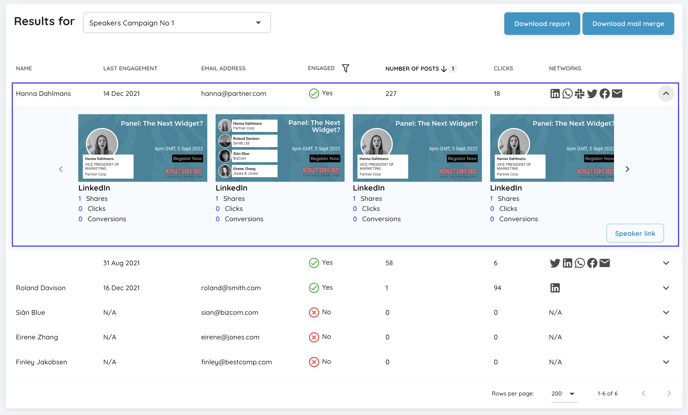
You can also download the report or mail merge file here.
The information provided is designed to give you easily actionable tasks to identify which members or sections of your community to reach out.
If anything on the results pages is unclear or you can think of other information that would be useful to you, please let us know at hello@gleanin.com