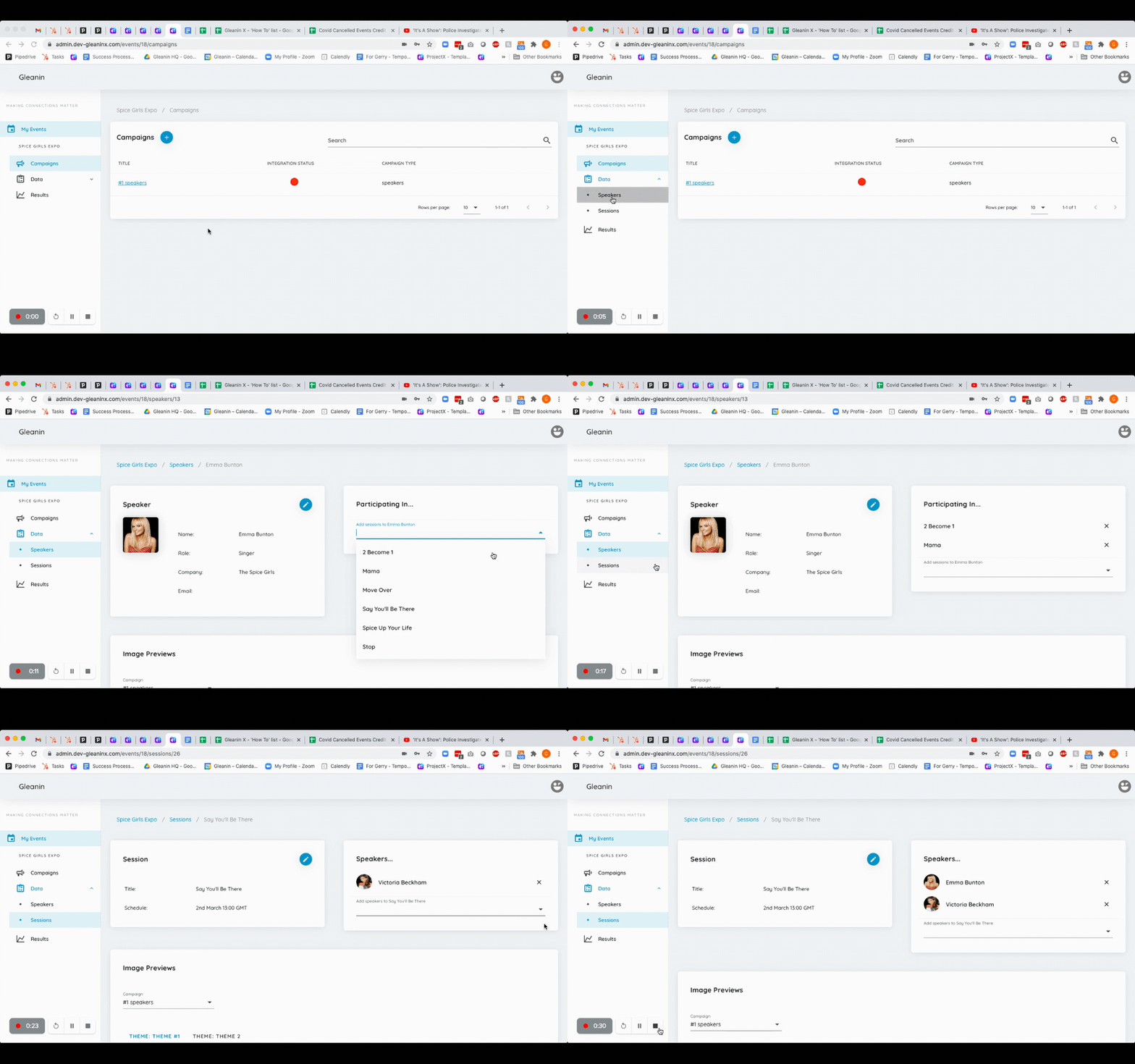
To connect a speaker to a session go to the left hand menu and select Data.
You then have a choice of connecting a speaker to a session or a session to a speaker.
To connect a speaker to a session click on Speakers and then on the Speaker you want to connect. On the right hand side, under the words 'Participating In' you can select sessions to connect to that speaker.
Alternatively, to connect a session to a speaker, click on Sessions in the left hand menu and then on the session title from the list. On the right hand side, under the word 'Speakers' you can select speakers to connect to that session